

Markdown Studio 1.0.0
A free Markdown editor with live preview. Write, see it, export to PDF and Word in one click.
Screenshots
About this app
Write and see it instantly: a free Markdown editor for Windows
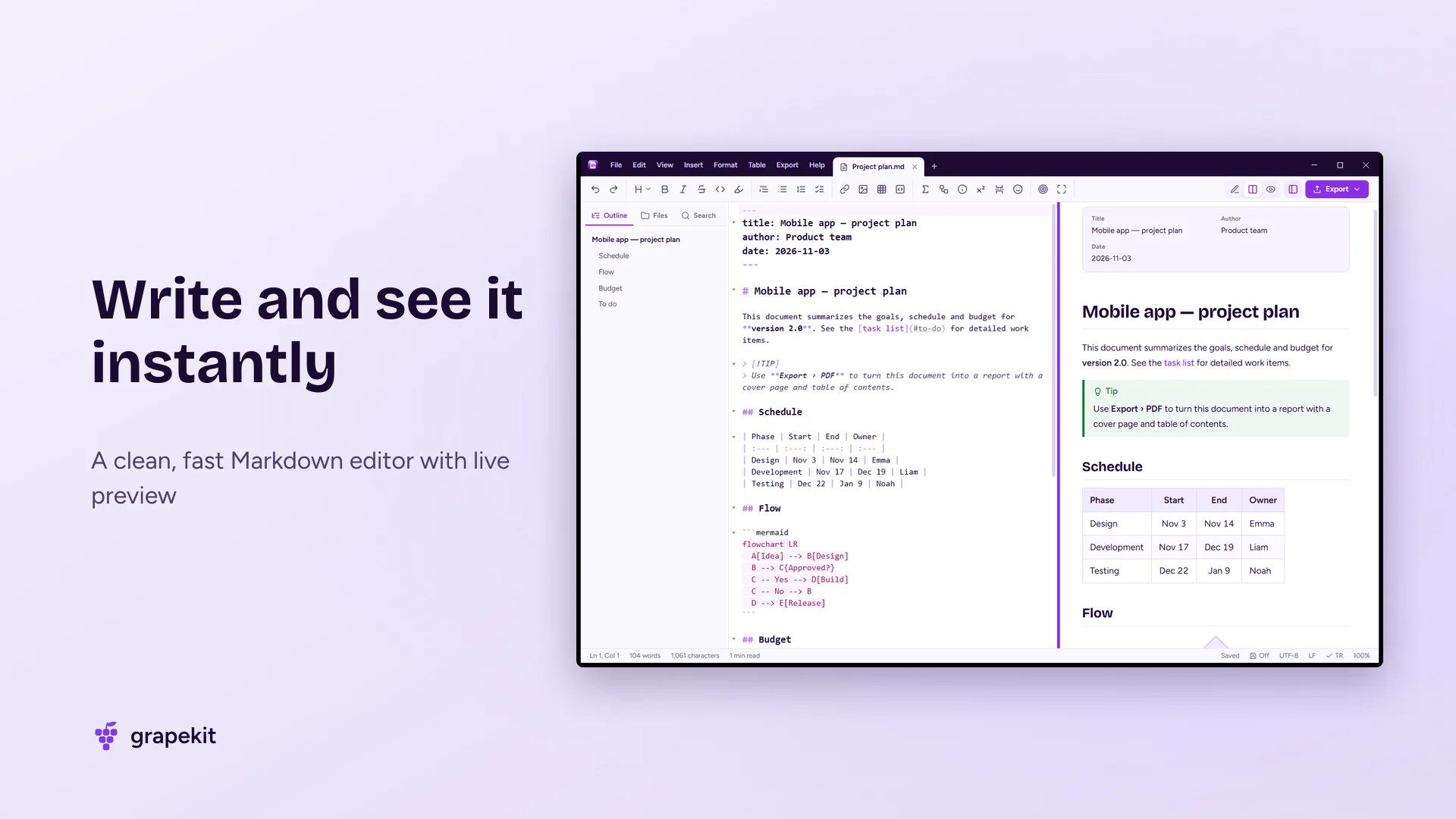
Markdown Studio is a clean, fast Windows app for writing, viewing and sharing Markdown documents. You type on the left and the finished document updates on the right as you go. Notes, reports, READMEs, blog posts, assignments or project docs: write them all in one place, then export to PDF, Word, HTML or an image in one click.
You don't need to know Markdown. The toolbar adds headings, bold text, lists, links, images and tables, and writes the right syntax for you. A short guided tour on first launch and the Markdown guide on F1 show you everything in a few minutes.
GitHub-flavored Markdown, math and diagrams
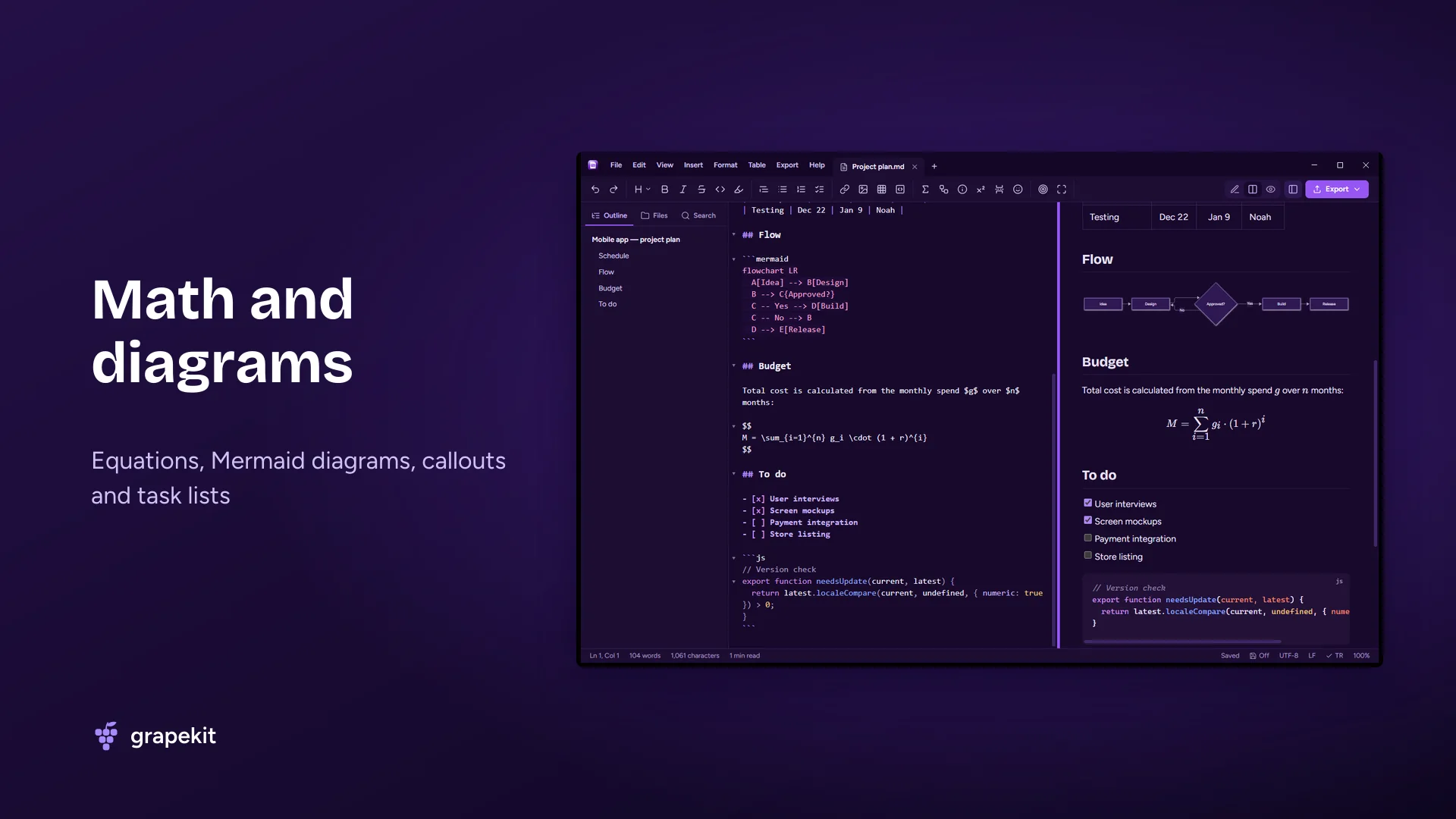
Everything you see on GitHub looks the same here: tables, task lists, syntax highlighting, footnotes and "Note, Tip, Warning" callouts. Write math with LaTeX syntax and draw flowcharts, sequence and Gantt diagrams with Mermaid. Front matter (title, author, date) appears as a tidy info card, and [TOC] inserts a table of contents.
PDF, Word, HTML and PNG in one click
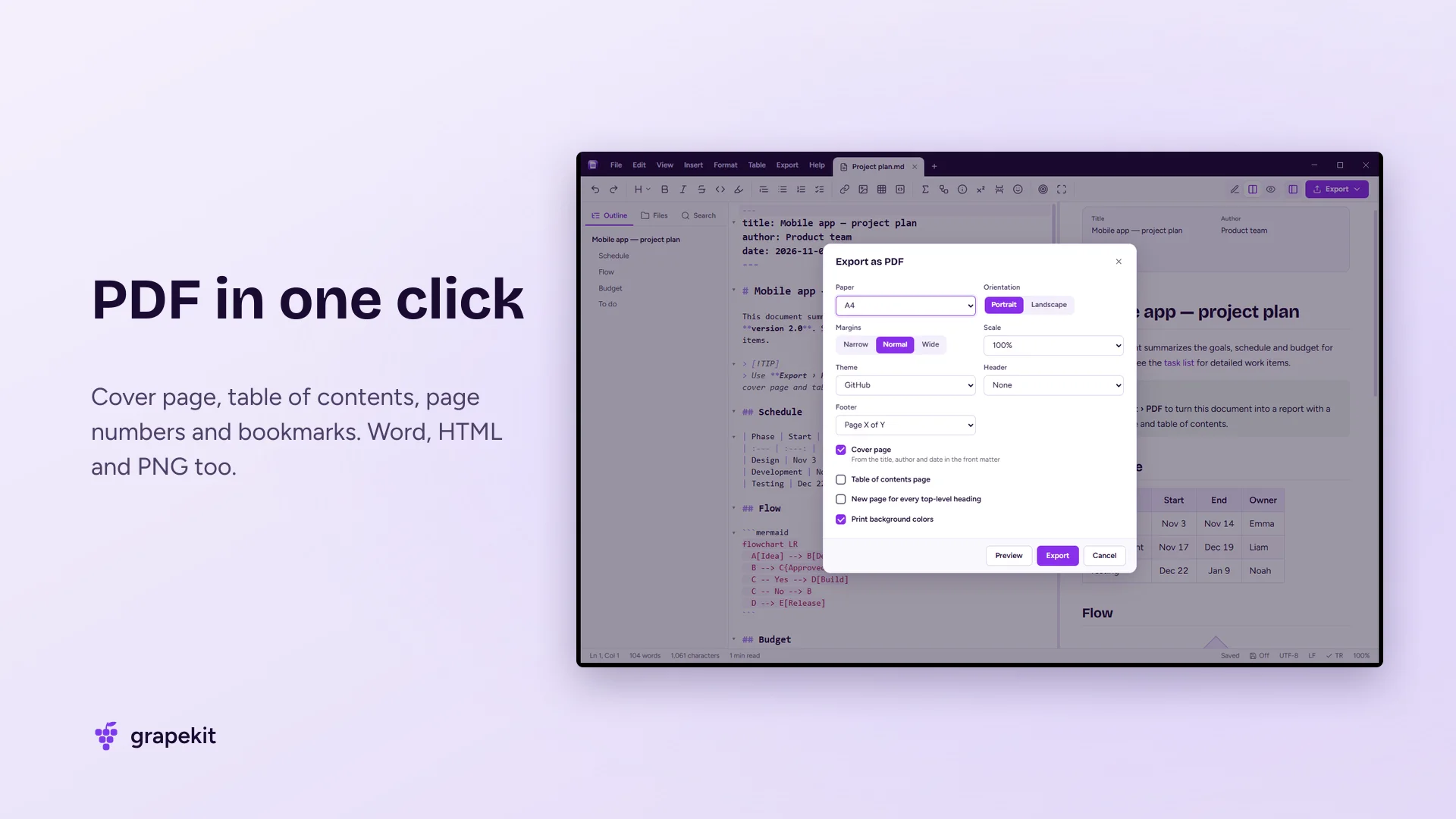
Turn your document into a professional PDF with a cover page, table of contents, page numbers and PDF bookmarks. Pick the paper size, margins, orientation and theme, preview the result, then save. Word export keeps headings, tables, images, equations and diagrams. Batch conversion exports a whole folder at once. It works the other way too: convert HTML and Word documents to Markdown, or paste formatted text from web pages.
Right at home in Windows
Markdown Studio feels like part of Windows. .md files appear formatted in File Explorer's preview pane, so you can look inside without opening them. Right-click the desktop and choose New › Markdown document to start a blank one, or right-click a file in Explorer and pick Convert to PDF. Images you paste or drag in are saved next to your document and linked automatically.
Built for focused work
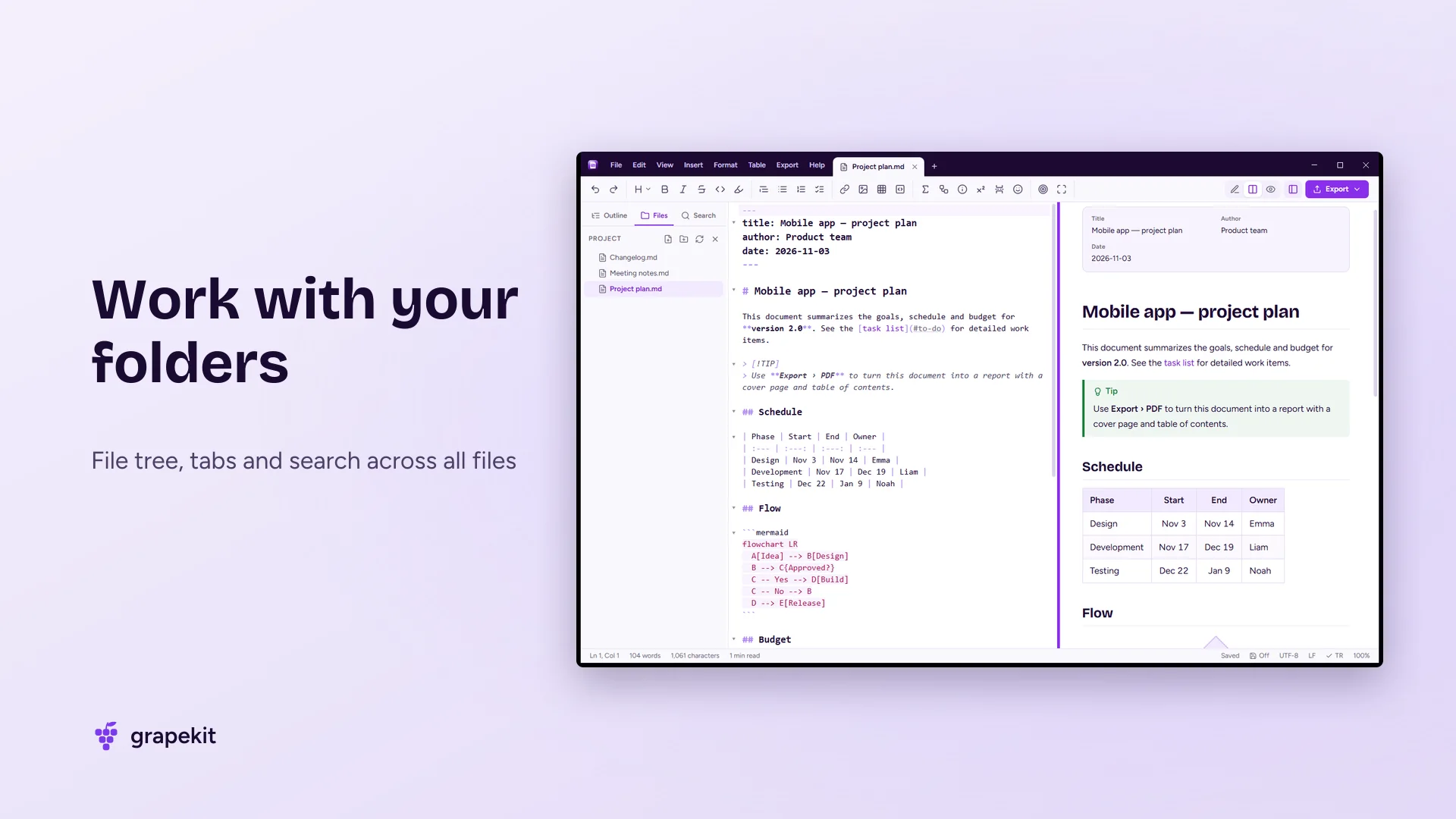
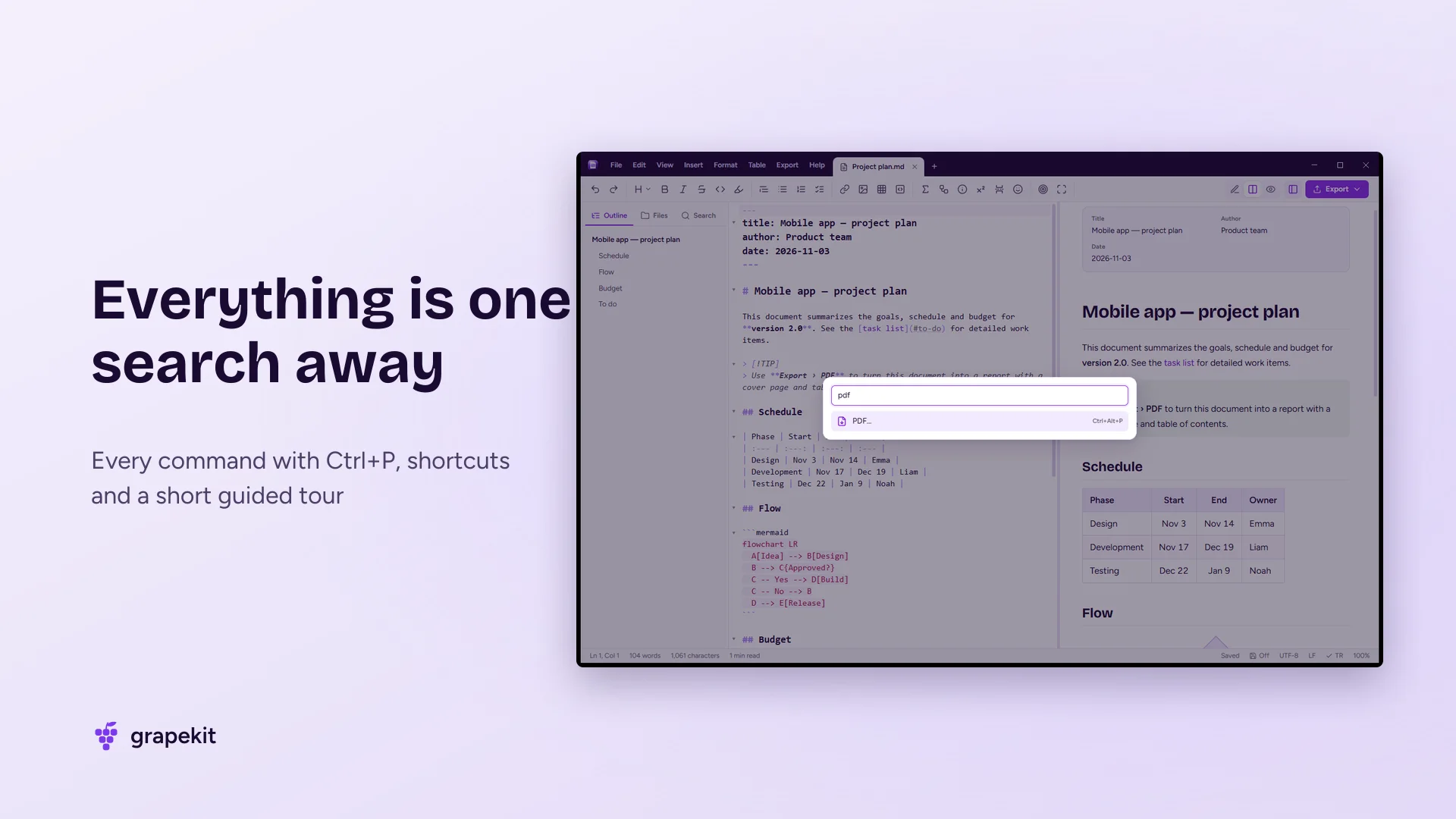
Open several documents in tabs, see a folder as a tree in the sidebar and search across all files. Jump between headings with the outline panel. Focus, typewriter and full-screen zen modes keep distractions away. Press Ctrl+P to find and run any command by name. Autosave and recovery protect your writing even after a power cut, and your open tabs come back the next time you start the app.
Light, safe and private
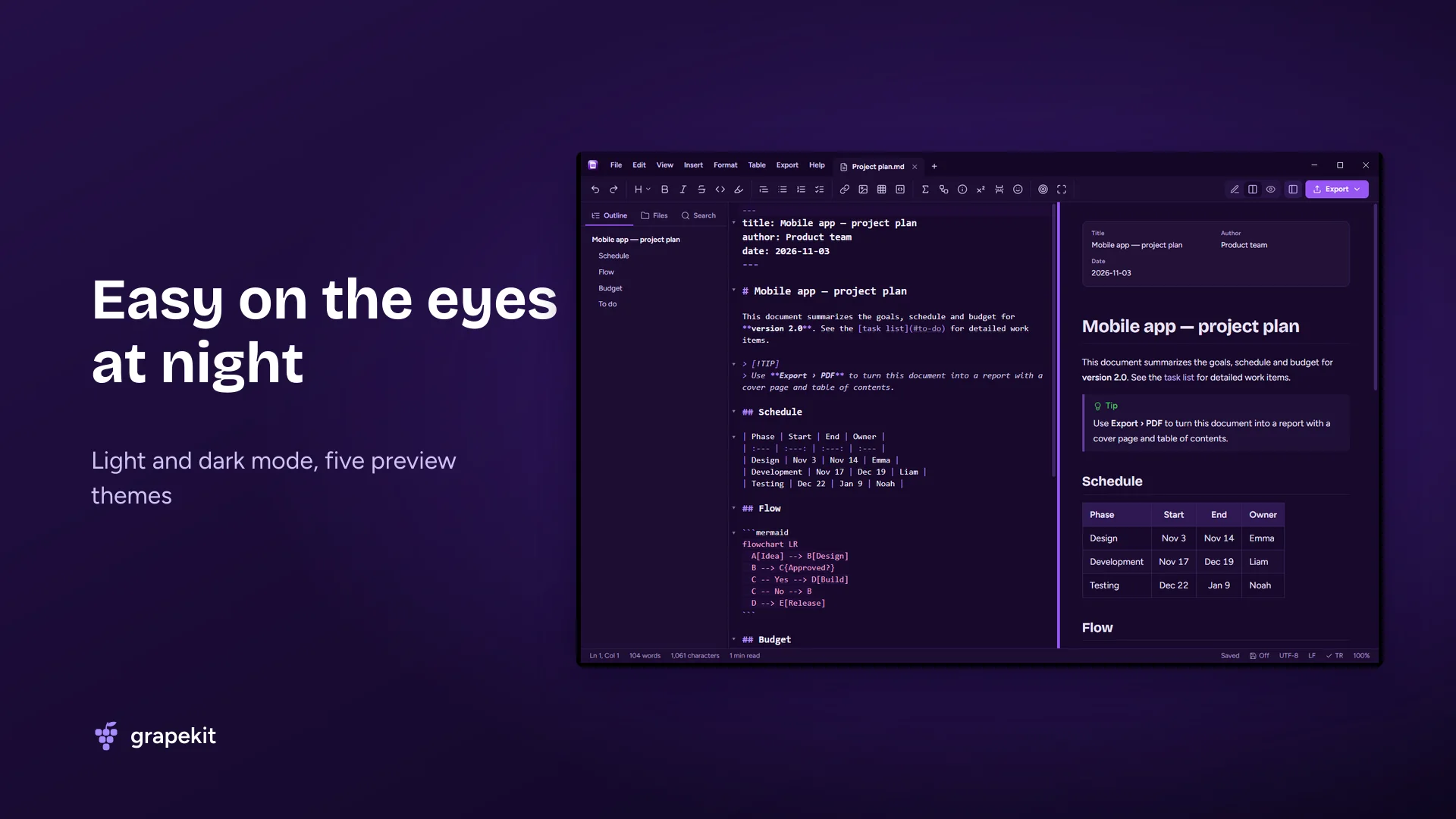
Your documents are processed only on your computer; no file is ever sent to a server. No account, no ads, no personal data collected. Light and dark themes, English and Turkish interface. The source code is open on GitHub.
Frequently asked questions
Is Markdown Studio free?
Yes. It's completely free, has no ads, needs no account and is open source (MIT license).
How do I open an MD file on Windows?
After installing Markdown Studio, double-click the .md file, or right-click it and choose Markdown Studio under "Open with". You can also see it formatted without opening it in File Explorer's preview pane (Alt+P).
How do I convert Markdown to PDF?
Open the document and choose Export › PDF (Ctrl+Alt+P). Tick options like cover page, table of contents and page numbers, then press Export. To convert without opening it, right-click the file in Explorer and pick "Convert to PDF".
Can I convert Markdown to Word?
Yes. Export › Word creates a .docx file that keeps headings, lists, tables, images, equations and diagrams. To turn Word and HTML documents into Markdown, use File › Import.
Can I use it without knowing Markdown?
Yes. The toolbar buttons insert headings, bold, lists, tables, links and images for you, and the preview always shows the finished document. The Markdown guide on F1 explains all the syntax with examples.
Can I write equations and diagrams?
Yes. Write equations with LaTeX syntax ($...$ and $$...$$) and flowcharts and other diagrams with Mermaid. Both appear in the preview, in PDFs and in Word output.
Are my documents sent to the internet?
No. The preview and all exports happen on your computer. The app only reads a small version file on GitHub for the optional update check.
Which Windows versions does it support?
Windows 10 (1809 and later) and Windows 11, on x64, ARM64 and 32-bit (x86) PCs. The required Microsoft Edge WebView2 component comes with Windows 11; if it's missing, the installer adds it.
Features
- Live preview with synchronized scrolling
- GitHub-flavored Markdown: tables, task lists, syntax highlighting, footnotes
- Note, Tip, Important, Warning and Caution callouts
- Math equations (LaTeX) and Mermaid diagrams
- One-click PDF: cover page, table of contents, page numbers, bookmarks
- Word (.docx), HTML and PNG export; batch conversion
- Convert HTML and Word to Markdown, paste formatted text
- File Explorer preview pane and right-click › Convert to PDF
- Right-click › New › Markdown document
- Tabs, folder tree and search across all files
- Paste and drag-and-drop images
- Focus, typewriter and zen modes; command palette (Ctrl+P)
- Autosave, recovery and session restore
- Light and dark mode, five preview themes, English and Turkish interface
- Free, no ads, open source; your documents never leave your PC
Release notes
v1.0.0 – First release
User reviews
No reviews yet. Be the first to write one.