

Formaty 1.0.1
Video, audio, image and PDF converter. Convert hundreds of files at once, without uploading anything.
Screenshots

About this app
Every conversion in one app
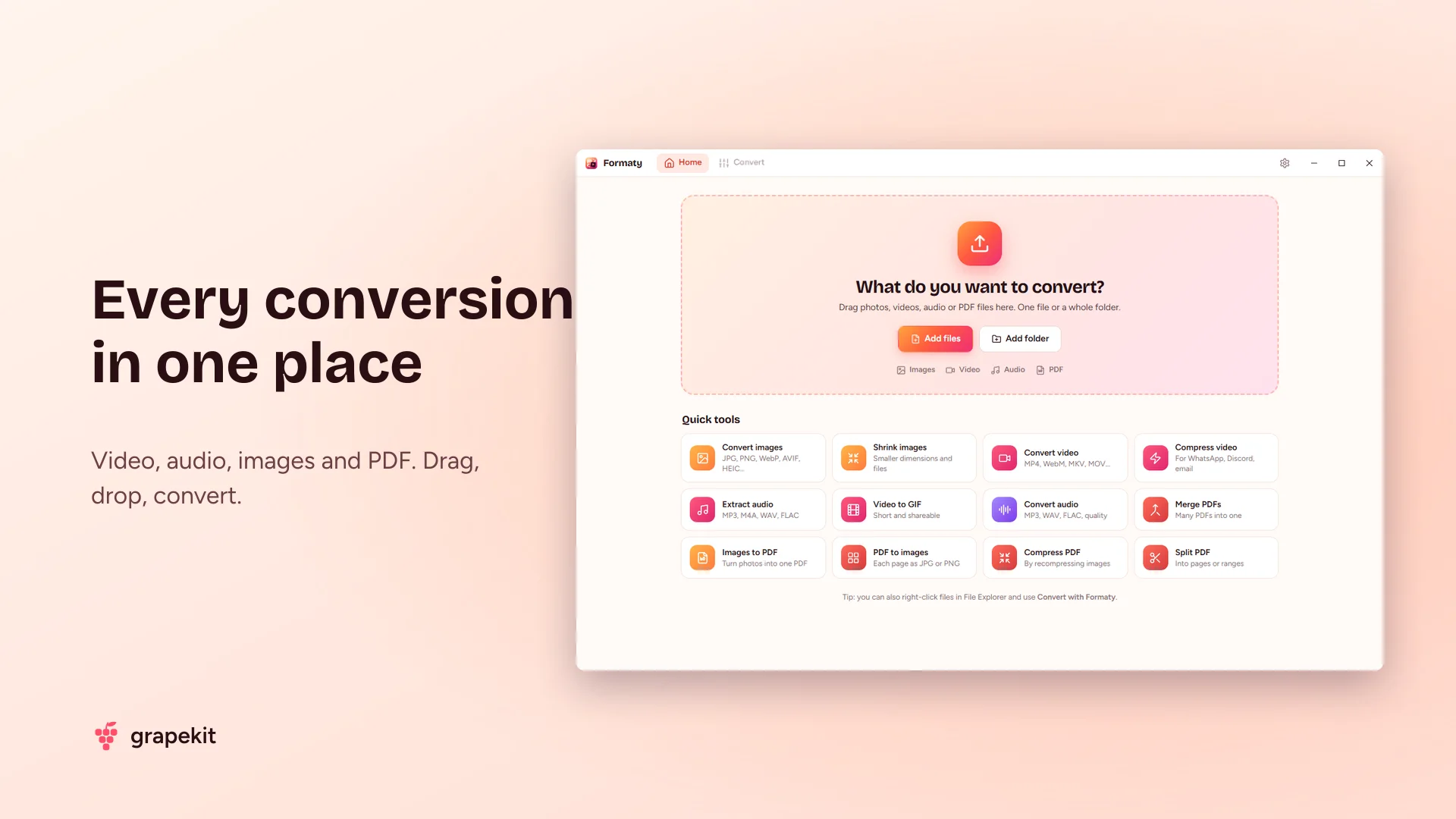
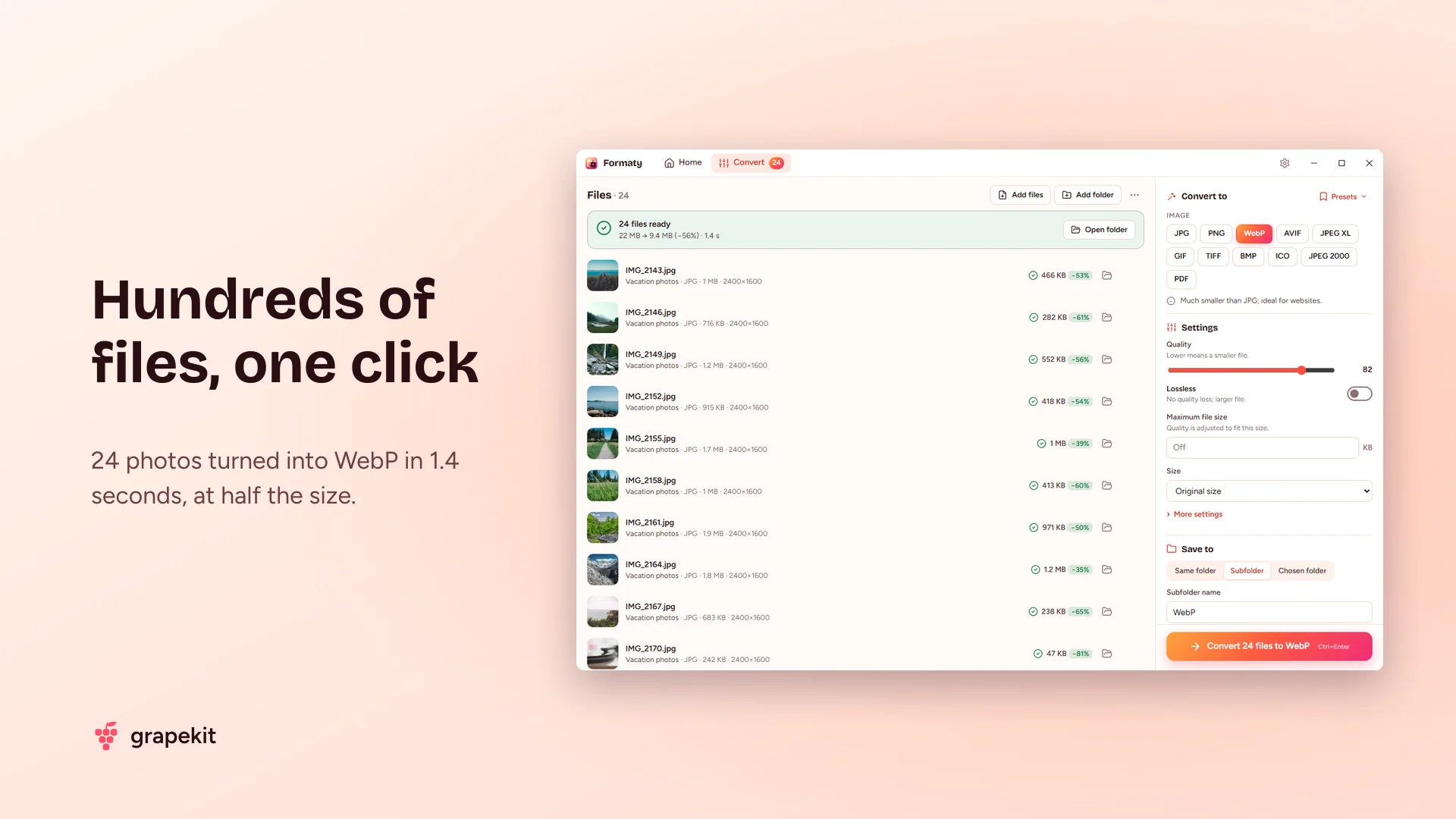
Formaty is a free file converter for Windows. Drop in your videos, audio, photos and PDFs, pick a target format and Formaty does the rest. One file or five hundred, it's just as easy: turn 50 photos into WebP in one click, shrink a folder full of videos, move your whole music library from MP3 to FLAC.
Everything runs on your computer. Your files are never uploaded to a website, there's no queue, no file-size limit and no internet connection needed.
Video: convert, compress, extract audio
Opens MP4, MKV, MOV, AVI, WebM, WMV and more; saves as MP4 (H.264, HEVC, AV1), WebM, MKV and MOV. Compress a video to a target size: say "16 MB for WhatsApp" or "10 MB for Discord" and Formaty tunes the quality to fit. Lower the resolution, change the frame rate, trim the start and end, speed it up or remove the sound. Extract audio from video to turn MP4 into MP3, join videos, make a GIF from a short clip or save frames as images.
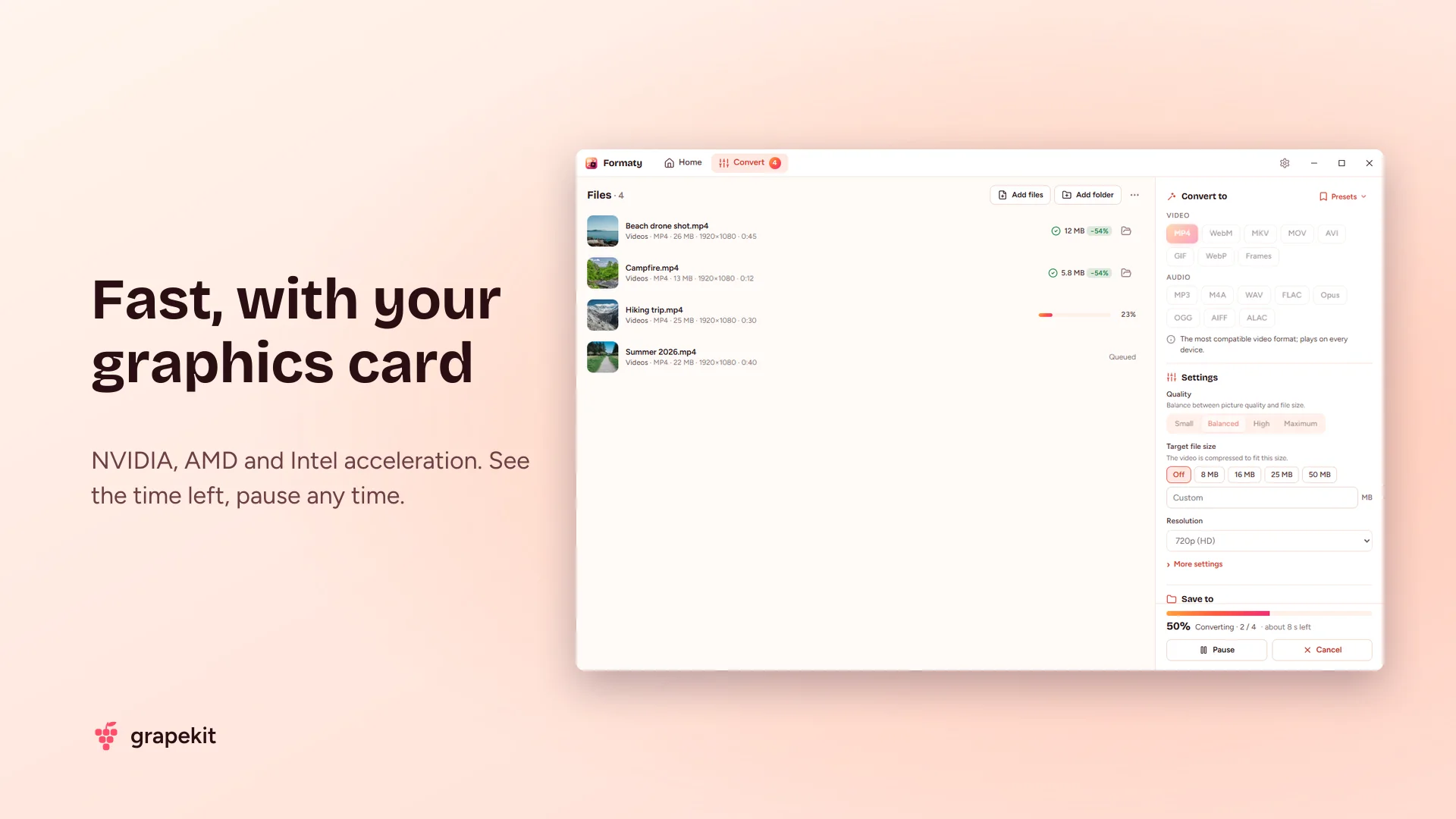
If you have a graphics card (NVIDIA, AMD or Intel), Formaty uses it automatically; a one-minute 1080p video converts in seconds.
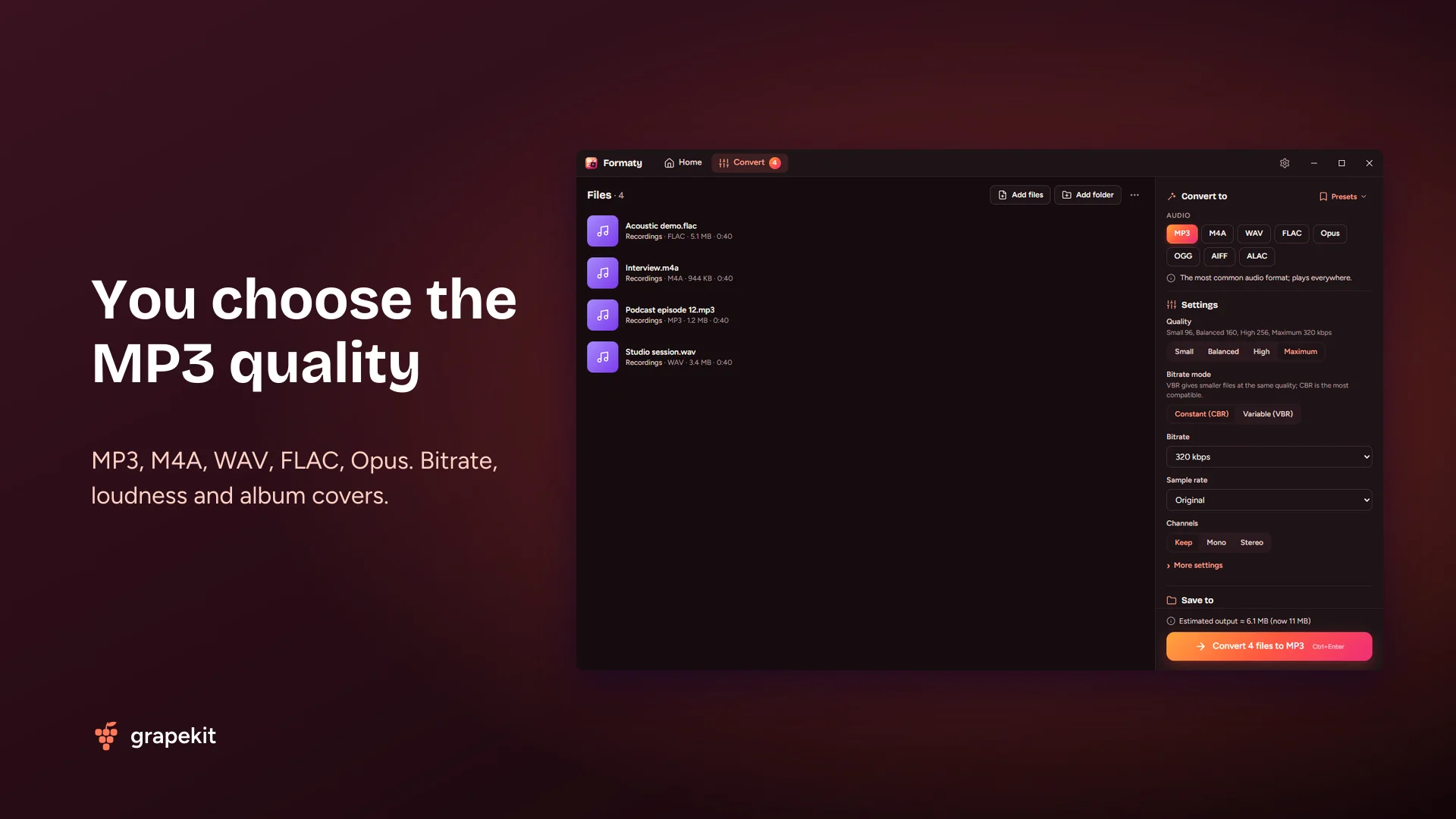
Audio: you choose the MP3 quality
Convert between MP3, M4A (AAC), WAV, FLAC, OGG, Opus, AIFF and ALAC. Pick a constant 64–320 kbps or variable quality for MP3, the compression level for FLAC and the bit depth for WAV. Normalize loudness (ready-made LUFS targets for podcasts and music), raise or lower the volume, trim silence at the start and end, and join files. Album covers are kept in MP3, M4A and FLAC output.
Images: from iPhone HEIC to WebP and AVIF
Opens JPG, PNG, WebP, AVIF, HEIC (iPhone photos), JPEG XL, GIF, TIFF, BMP, ICO and SVG. Convert HEIC to JPG, PNG to WebP or photos to ICO icons. Batch resize (long edge, percent, fit in a box), set the quality or just say "500 KB at most". Strip photo metadata (EXIF) including location, rotate, add a text watermark and pick a background color for transparent areas.
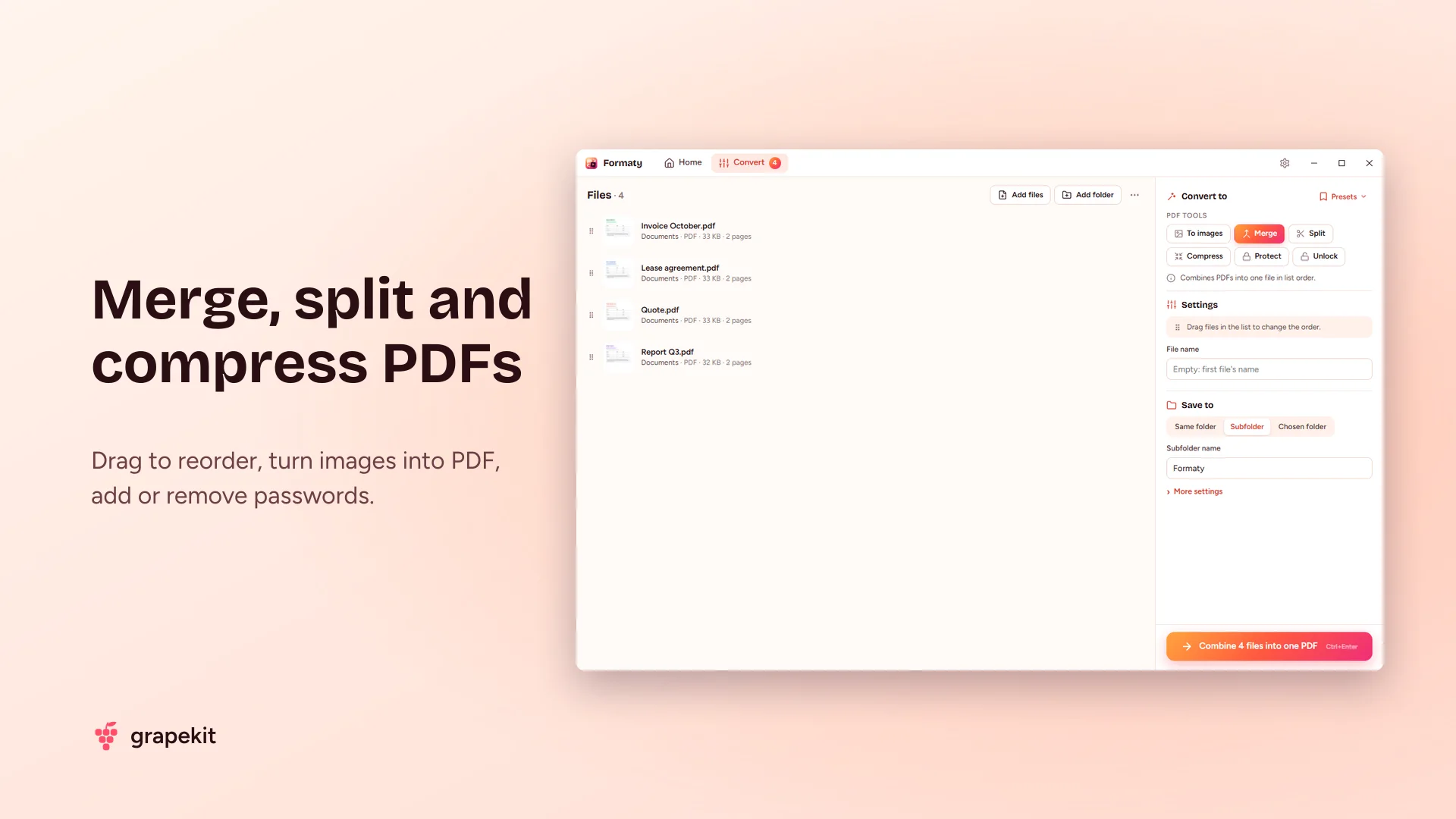
PDF: merge, split, compress
To merge PDFs, drag the files into the order you want. Split a PDF into single pages, page ranges or every N pages. Turn photos into a PDF, or PDF pages into PNG, JPG or WebP images. Compress a PDF by recompressing the images inside, add a password or remove one you know.
Little things that save time
Save the settings you use often as presets; ready-made ones for Instagram, YouTube, WhatsApp, podcasts and ringtones are already there. See the estimated output size before you start and the time left while it runs; pause or cancel any time. Save output next to the originals, in a subfolder or anywhere you like, and name files with a template. Right-click files in File Explorer and choose "Convert with Formaty" to convert in one click. A Windows notification tells you when it's done.
Free, no ads, private
Formaty needs no account, shows no ads and collects no personal data. Light and dark mode, English and Turkish interface. The source code is public on GitHub (MIT license).
Frequently asked questions
Is Formaty free?
Yes. It's completely free, with no ads, no account and no limit on the number or size of files.
How do I convert MP4 to MP3?
Drag the video into Formaty, choose MP3 as the target and click Convert. You can set the quality (e.g. 320 kbps) or enter a start and end time to keep only part of it. You can also right-click the video in File Explorer and choose "Convert with Formaty › MP3".
How do I convert iPhone HEIC photos to JPG?
Drop the HEIC files (or the whole folder) into Formaty, choose JPG and click Convert. You don't need to install any extra Windows extension.
How do I make a video small enough for WhatsApp or Discord?
Add the video and pick "WhatsApp video (16 MB)" or "Discord video (10 MB)" from the Presets menu. Formaty sets the quality so the video fits that size. You can also type your own size limit.
Can I convert many files at once?
Yes. Add hundreds of files or whole folders at once. Images are processed in parallel across your CPU cores; video and audio use graphics card acceleration.
How do I merge PDF files?
Add the PDFs to Formaty, drag them into order and choose "Merge PDFs". The result is saved as a single PDF. Splitting, compressing and converting PDFs to images work the same way.
Are my files uploaded to the internet?
No. Every conversion happens on your computer; your files are never sent to a server and Formaty works offline.
Which versions of Windows does it run on?
Windows 10 (1809 or later) and Windows 11, on x64 and ARM64 PCs. The required Microsoft Edge WebView2 component comes with Windows 11; if it's missing, the installer adds it.
Features
- Video, audio, image and PDF conversion in one app
- Batch conversion: hundreds of files and folders at once
- MP4 (H.264, HEVC, AV1), WebM, MKV, MOV; GPU acceleration
- Compress video to a target size (WhatsApp, Discord)
- Extract audio from video, make GIFs, trim, join
- MP3, M4A, WAV, FLAC, OGG, Opus, AIFF, ALAC; bitrate and quality control
- Loudness normalization, silence trimming, keeps album covers
- HEIC, WebP, AVIF, JPEG XL, PNG, JPG, GIF, TIFF, ICO
- Batch resize, "X KB at most", strip EXIF, watermark
- Merge, split, compress, protect and unlock PDFs
- Photos to PDF, PDF to images
- Ready-made presets and your own saved settings
- Estimated output size, time left, pause and cancel
- File Explorer right-click menu: "Convert with Formaty"
- Light and dark mode, English and Turkish interface
- Free, no ads, open source; your files never leave your PC
Release notes
v1.0.1 – Video target size and AMD graphics fixes v1.0.0 – First release
User reviews
No reviews yet. Be the first to write one.